Visitor management · Kiosk
The visitor kiosk that knows who's on site. Every gate, every shift.
One tablet at the entrance handles check-in, safety induction, document consent, deliveries and sign-out — and keeps a timestamped record of everyone inside.


- Hardware
- Tablet and printer included
- For visitors
- Nothing to install
- Coverage
- One screen per entrance
- Record
- Searchable, exportable
What you're replacing
Get rid of the paper visitor log.
A spiral-bound sign-in book on the front desk. A clipboard of liability releases nobody files. A stack of badge stickers. Somebody typing it all into a spreadsheet on Friday.
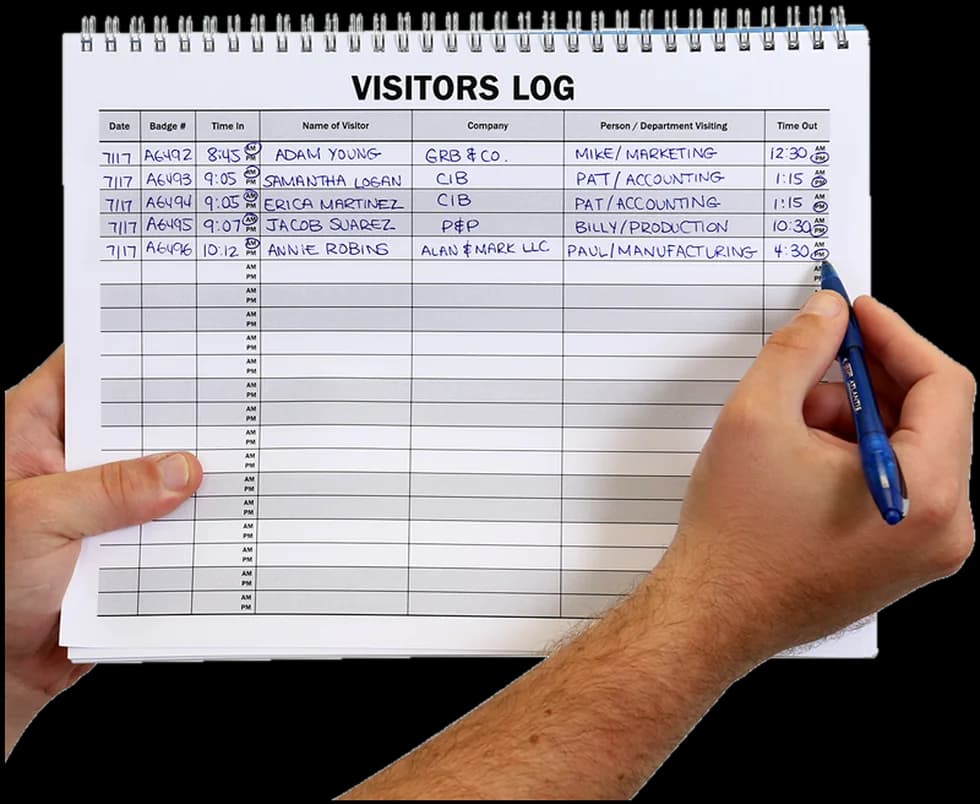
Four things the log book will never do
- 01Tell you who is still inside when the alarm goes off.
- 02Prove a contractor watched the safety briefing.
- 03Show that a visitor signed your liability release.
- 04Stop an unbadged stranger walking onto the floor.
Paper can't be searched, filtered by date, exported, or handed to an auditor. The release everyone signs on a clipboard ends up in a drawer, not in a record. Everything above is what the kiosk does by default.
How a visit runs
Four steps, start to finish.
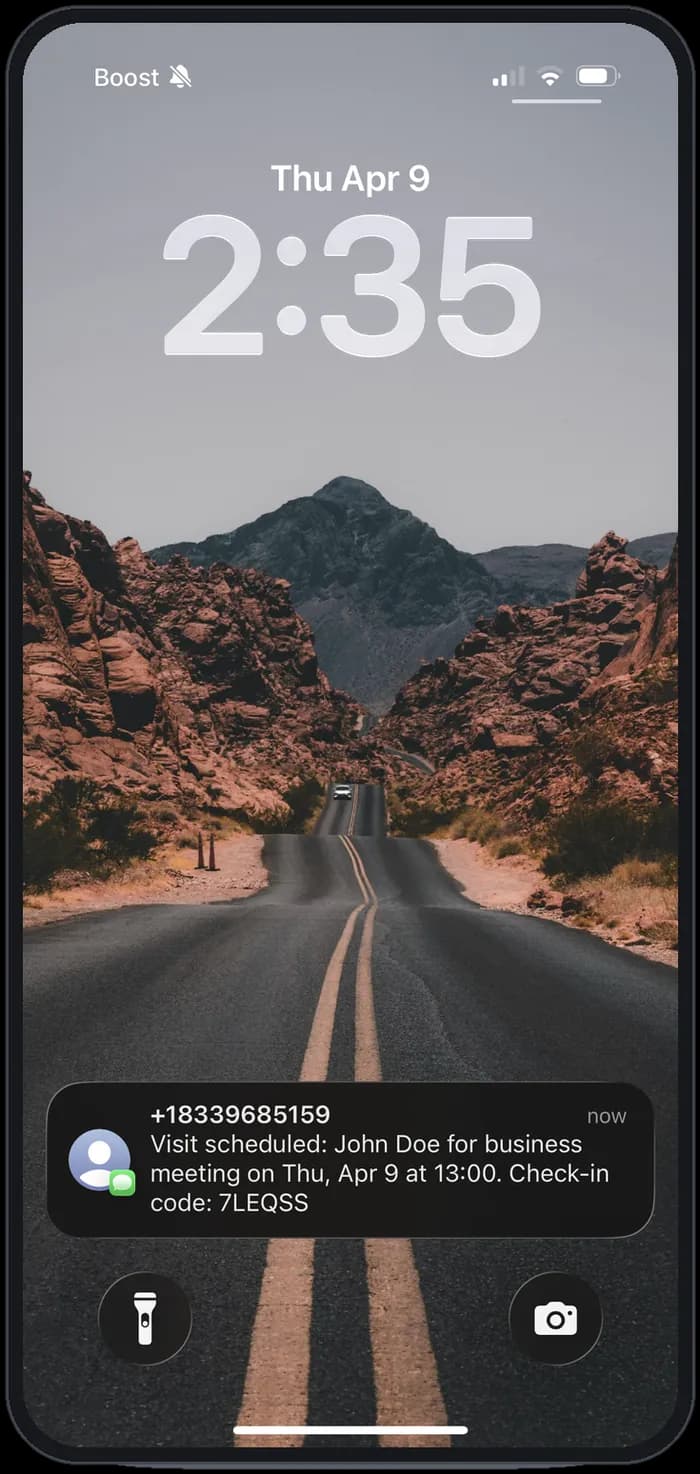
STEP 01
The invite goes out
Book the visit and the visitor gets a text with the time, the host and a check-in code. No app, no account, no download.
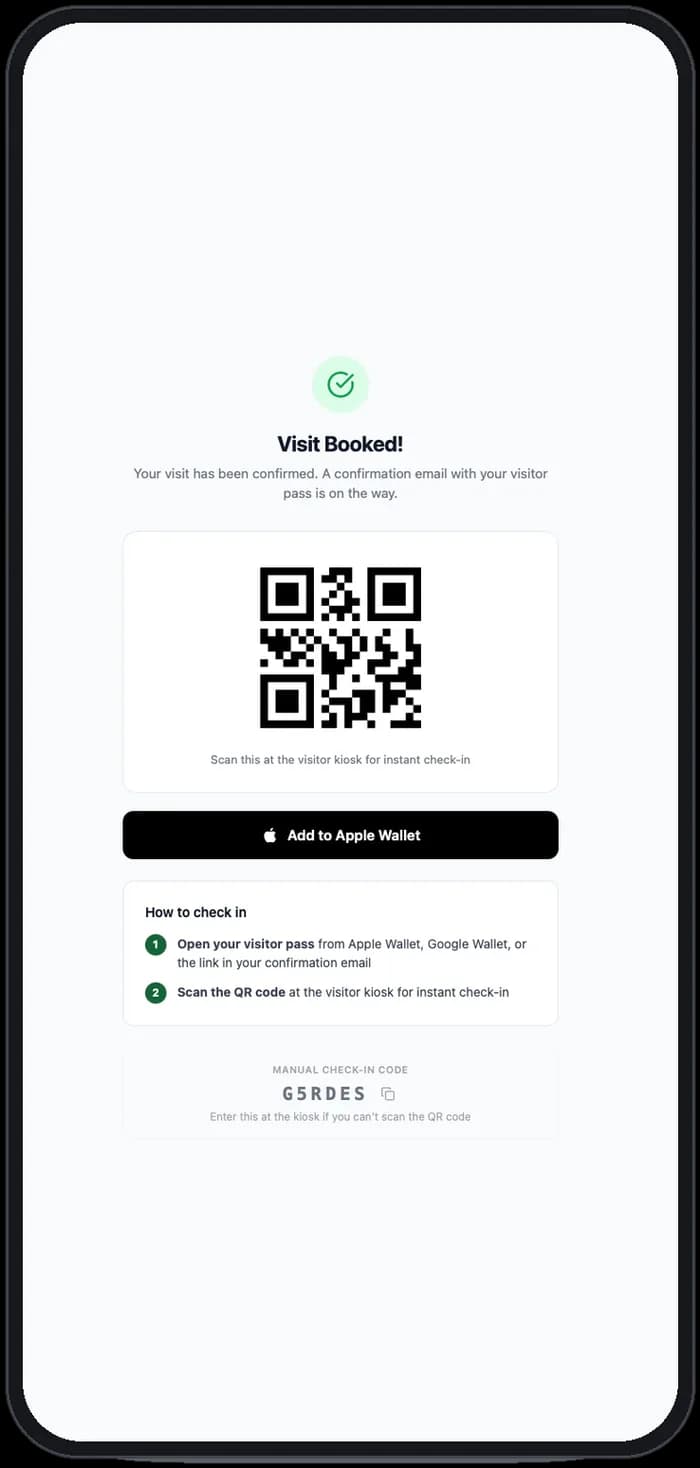
STEP 02
The pass is issued
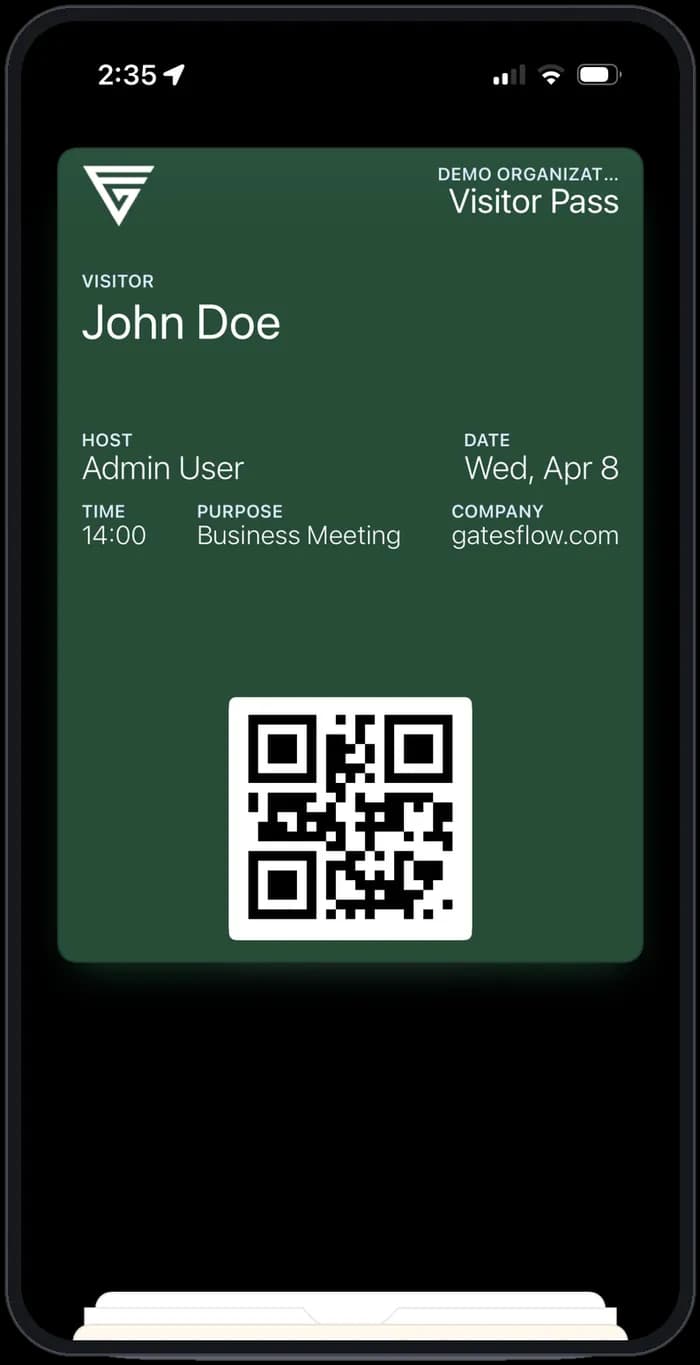
A QR pass is created the moment the visit is confirmed, with a manual code as backup if the camera won't cooperate.
STEP 03
It sits in their wallet
Visitors add the pass to Apple Wallet or Google Wallet. They arrive with it already open, and one scan checks them in.
STEP 04
They sign in — and sign out
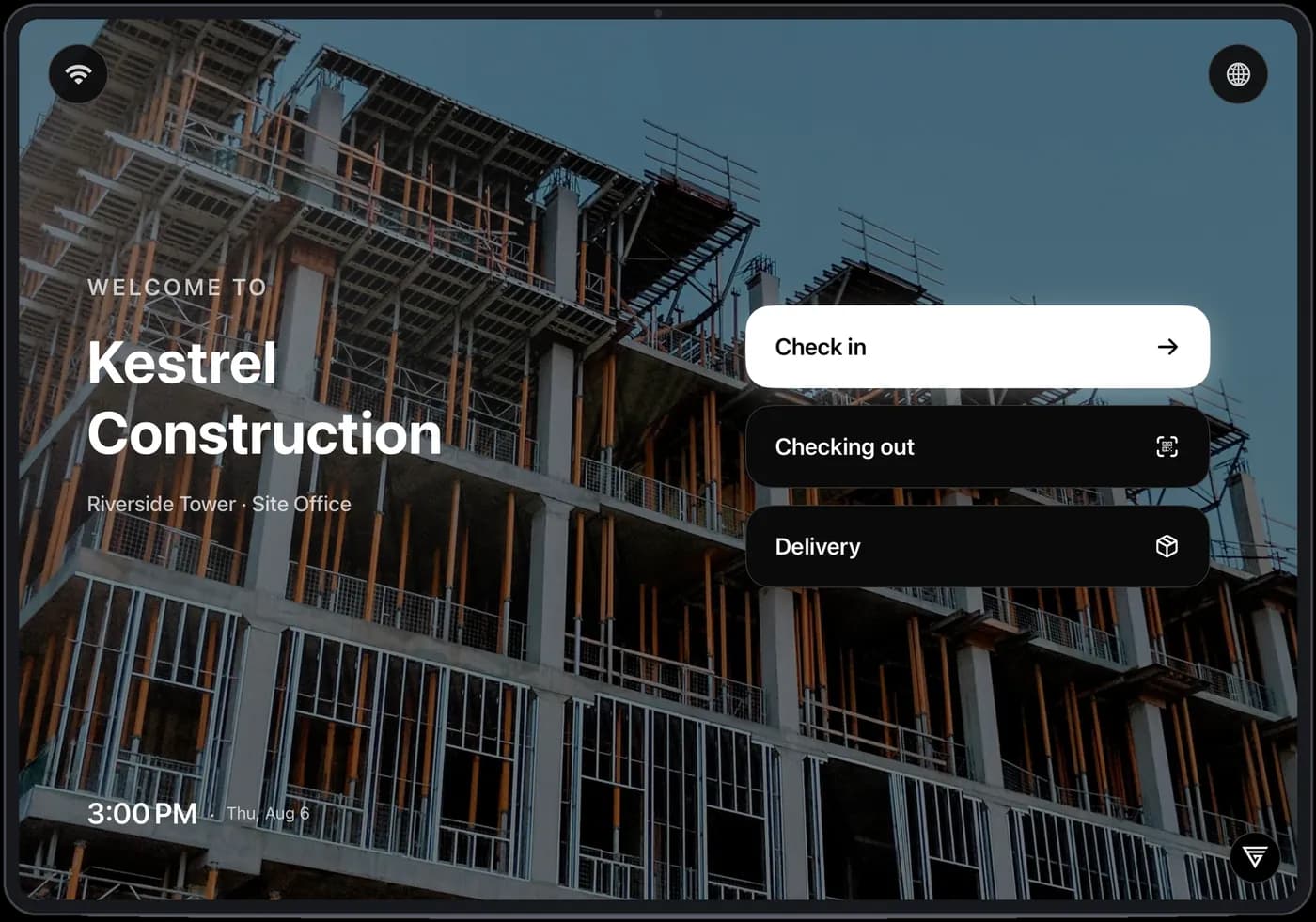
Walk-ins use the same screen: check in, watch the induction, agree to the documents, take a badge. Scanning the badge on the way out closes the record, so the on-site list stays true.
On the tablet
Inside the visitor check-in.
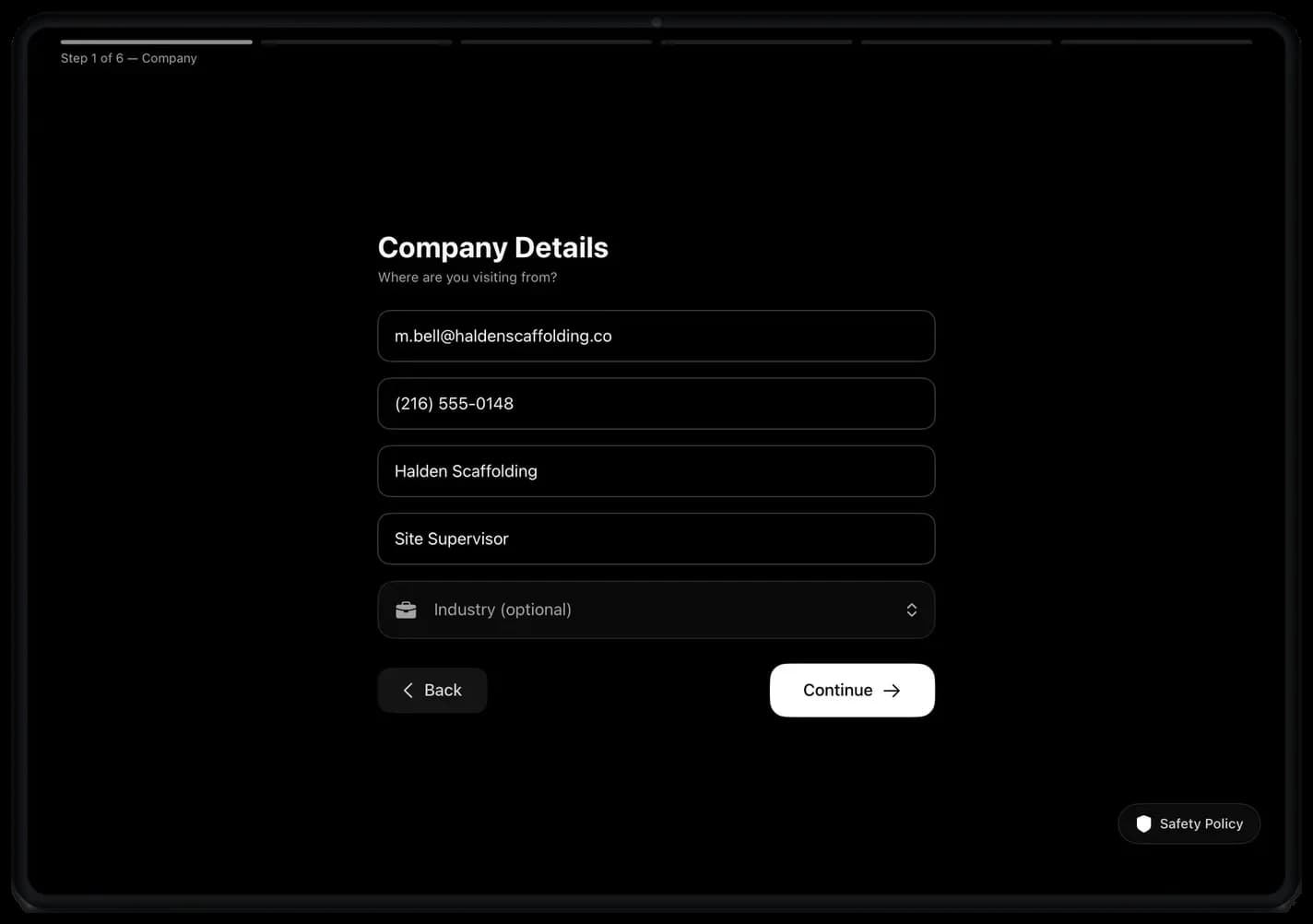
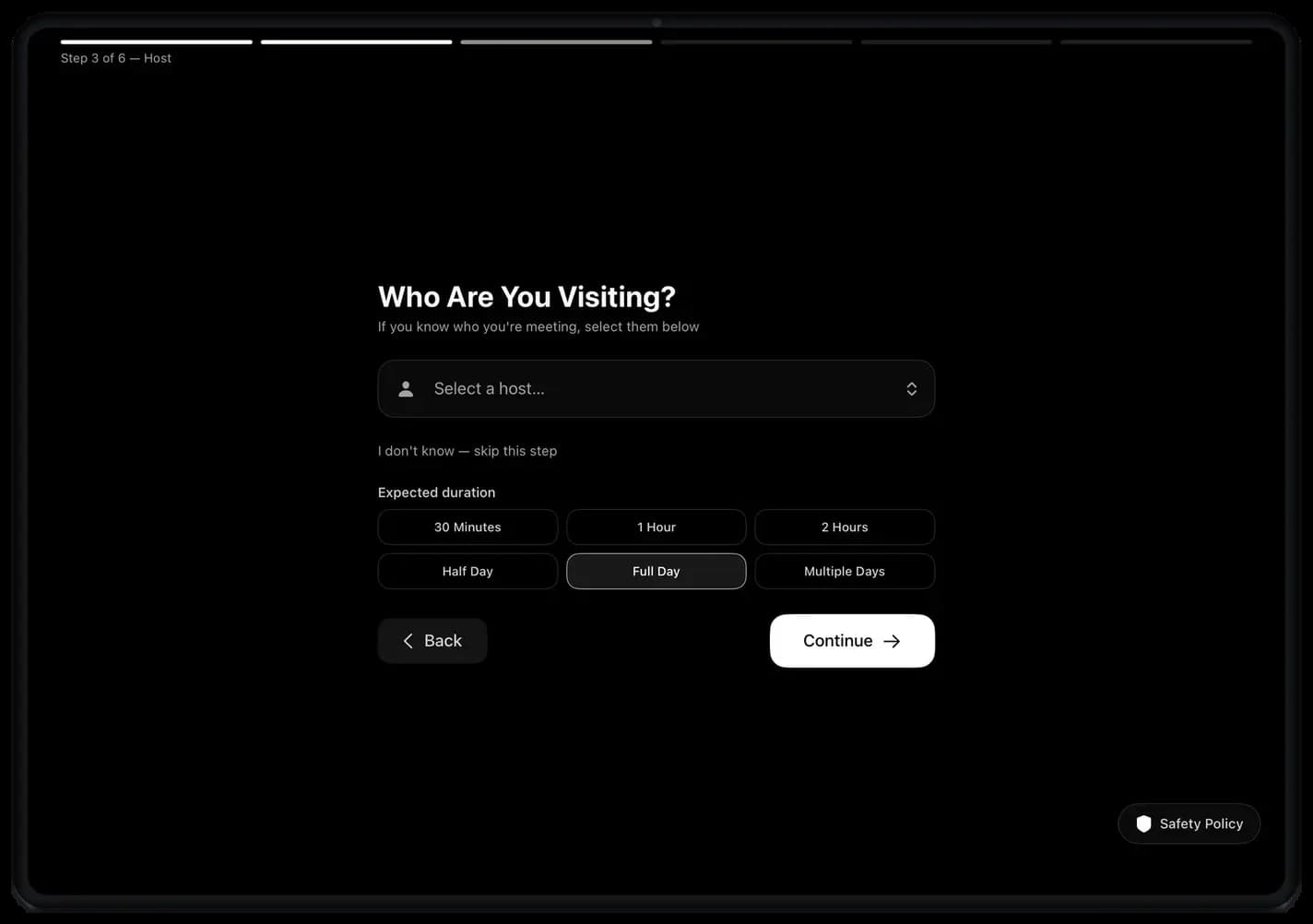
What a walk-in actually sees — six steps on the screen, under a minute start to badge.
STEP 1 OF 6
They fill in the details
Name, company and contact, typed once at the door.
STEP 3 OF 6
Matched to their host
Pick who they're seeing and how long they'll be on site.
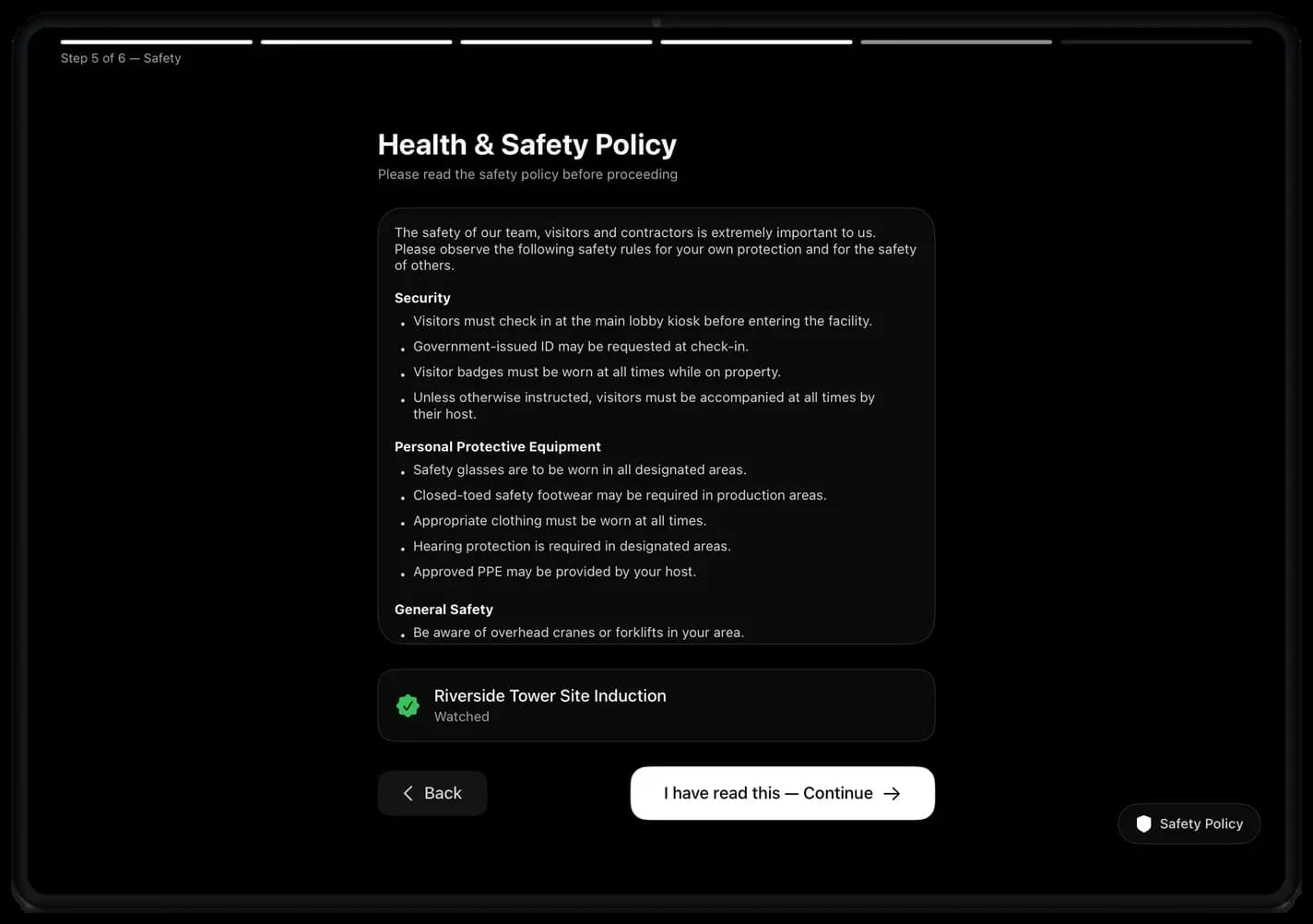
STEP 5 OF 6
Your rules, before they're through
Site policy and induction video, confirmed on the way in.
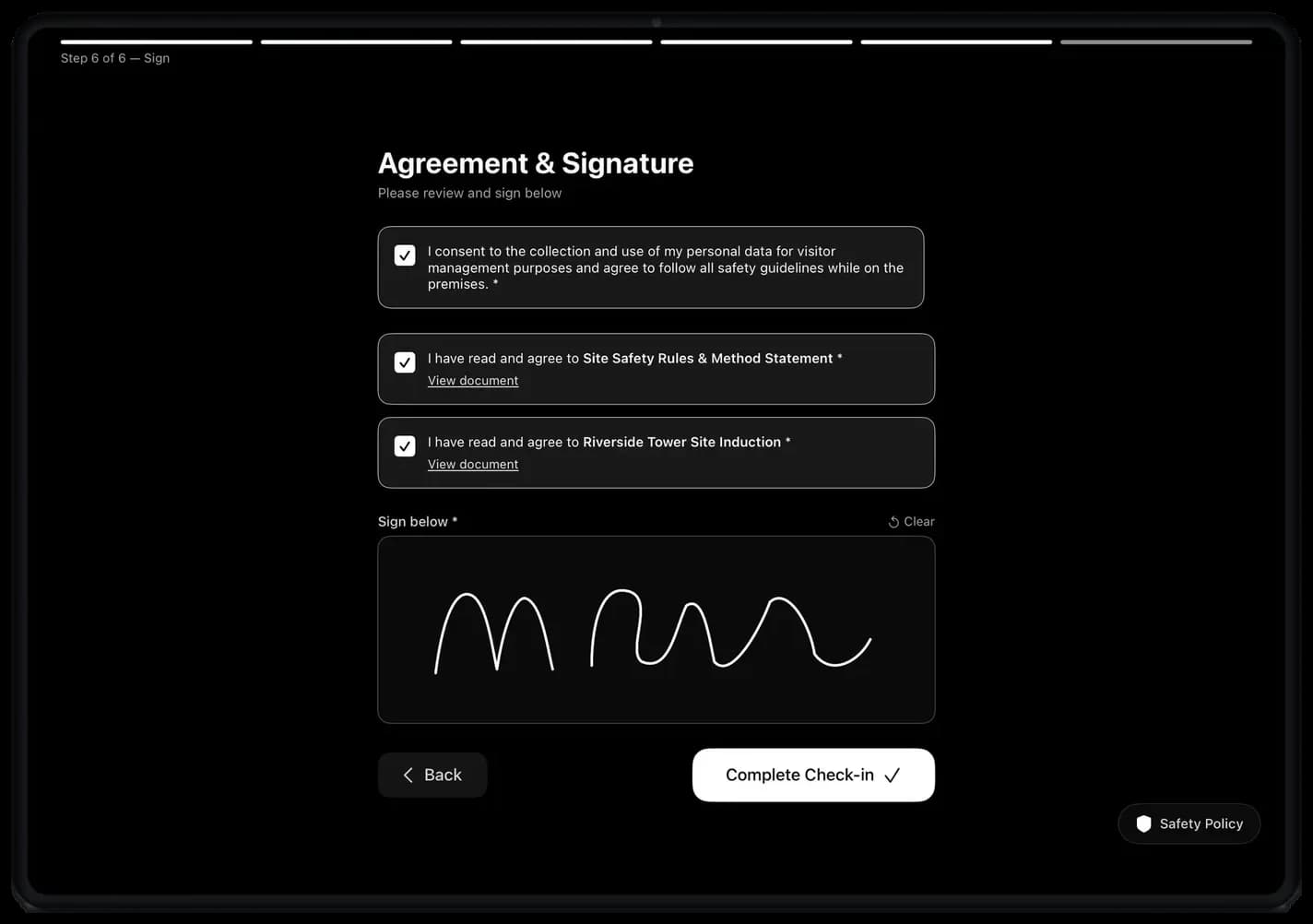
STEP 6 OF 6
Signed, dated and recorded
Every document ticked and signed against that visit.
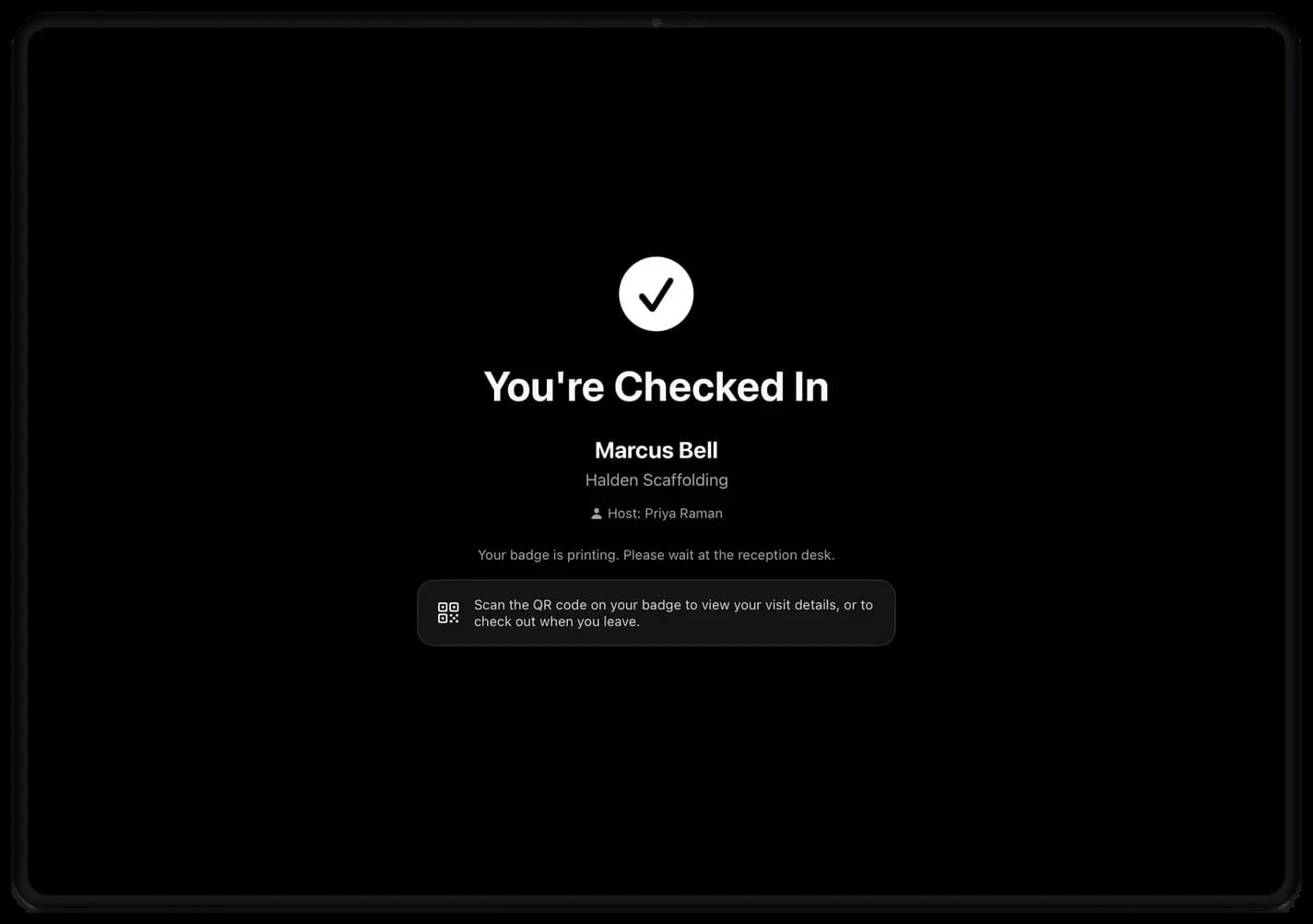
Badge printing, visitor away.
Under a minute — and reception never had to stop.
One app, configured per site
One visitor kiosk, every kind of front door.
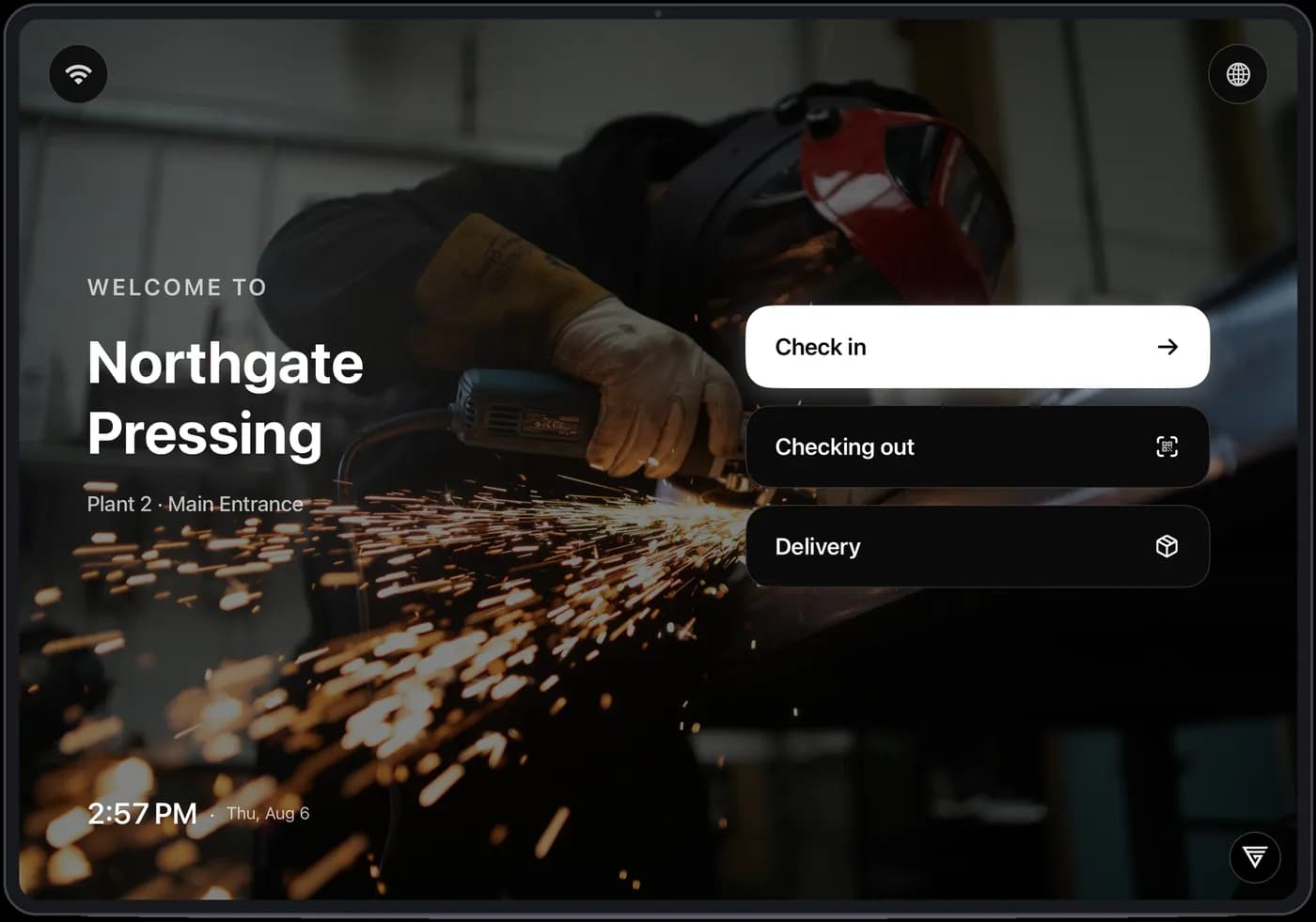
The screen carries your name, your photo, your documents and your languages. What changes between a foundry gate and a library entrance is the configuration, not the product.
Manufacturing
Northgate Pressing · Plant 2, Main Entrance
The induction video plays before check-in can complete. No video, no badge.
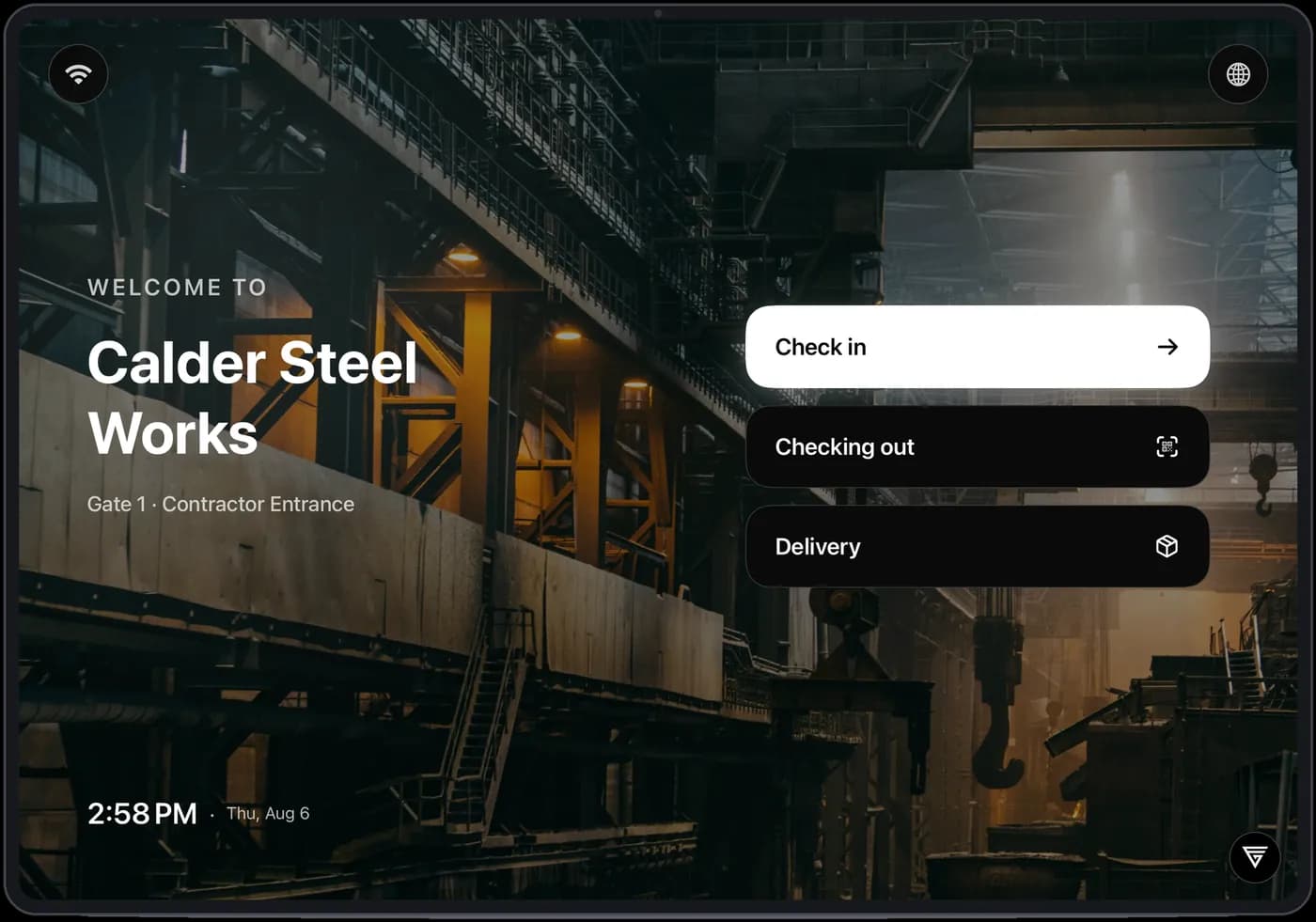
Heavy industry
Calder Steel Works · Gate 1, Contractor Entrance
Every arrival is logged against the gate they came through, so each entrance has its own record.
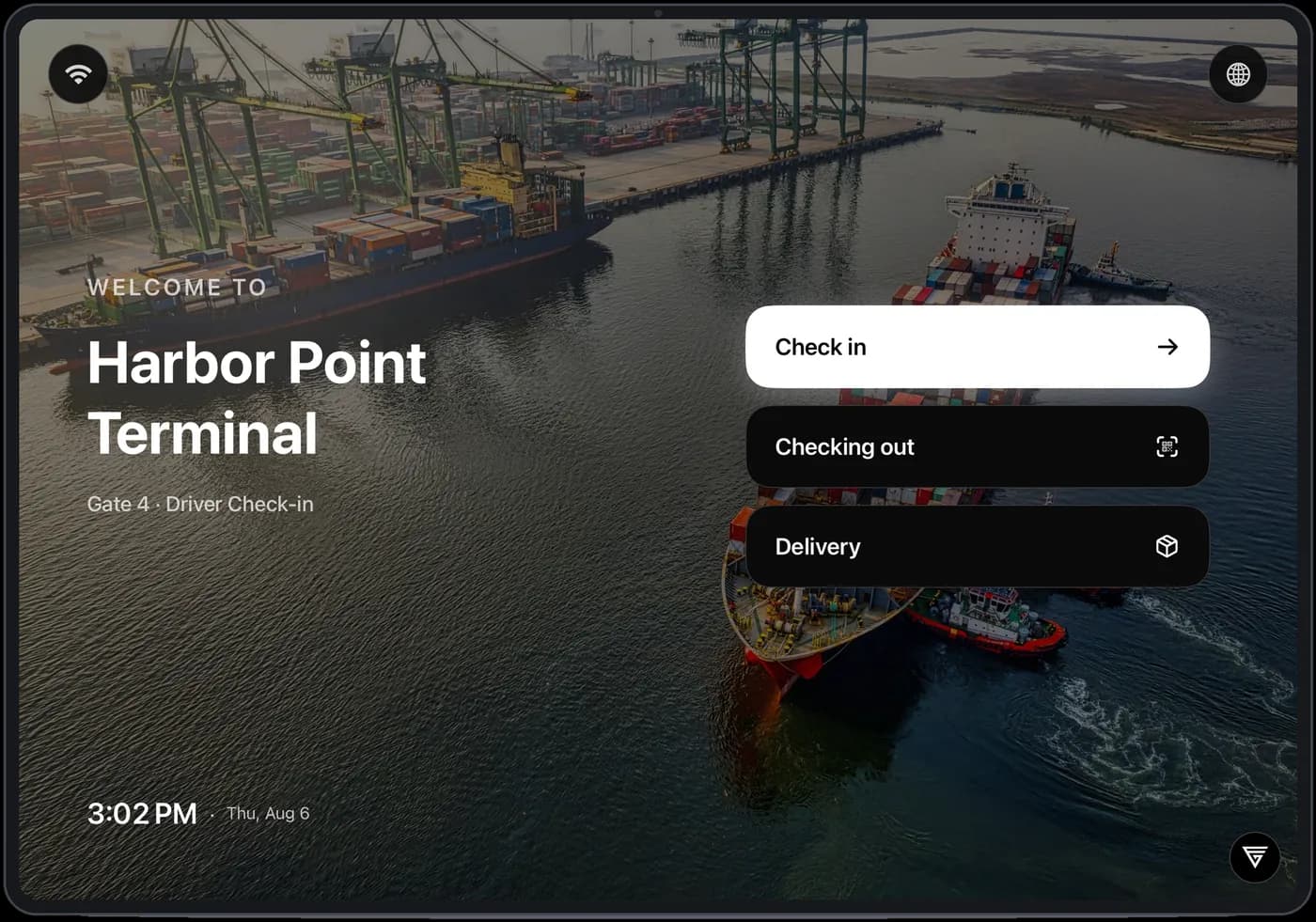
Logistics & ports
Harbor Point Terminal · Gate 4, Driver Check-in
Drivers check in at the gate and check out by scanning the badge. Deliveries get their own flow.
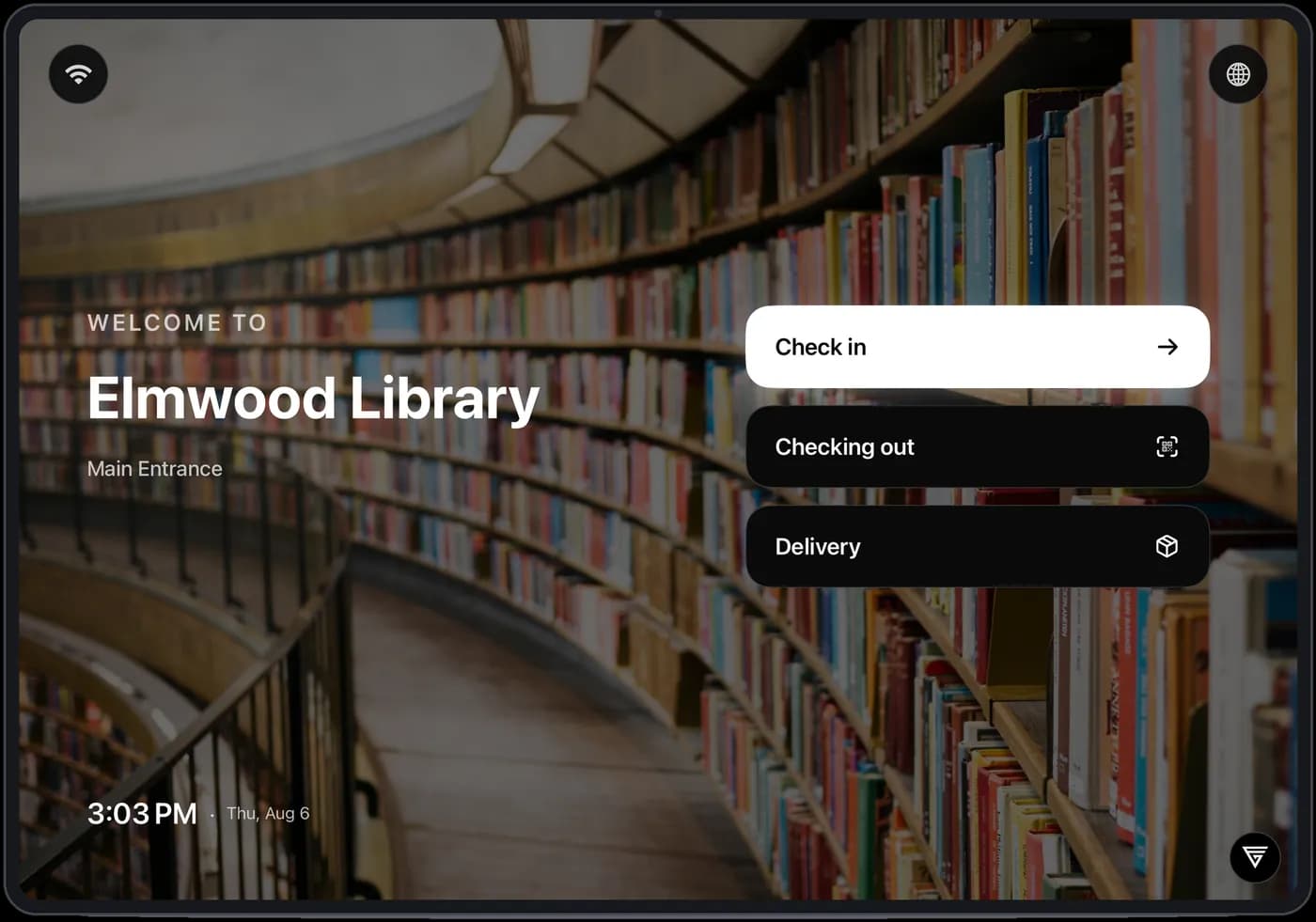
Schools & libraries
Elmwood Library · Main Entrance
Upload your safeguarding policy and every visitor agrees to it before they get a badge.
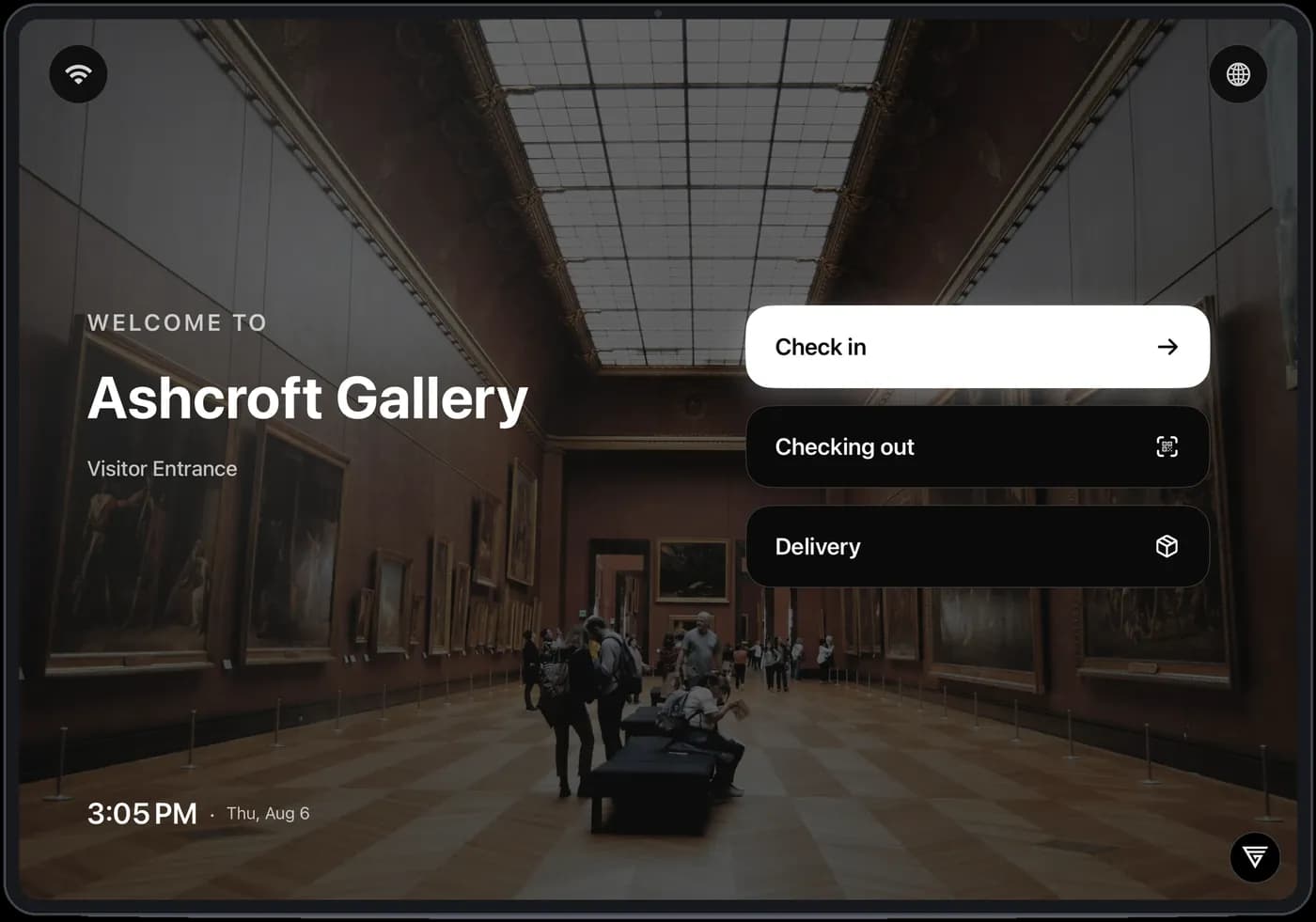
Museums & galleries
Ashcroft Gallery · Visitor Entrance
Visitor terms and photo consent are captured at the entrance and stored with the visit.
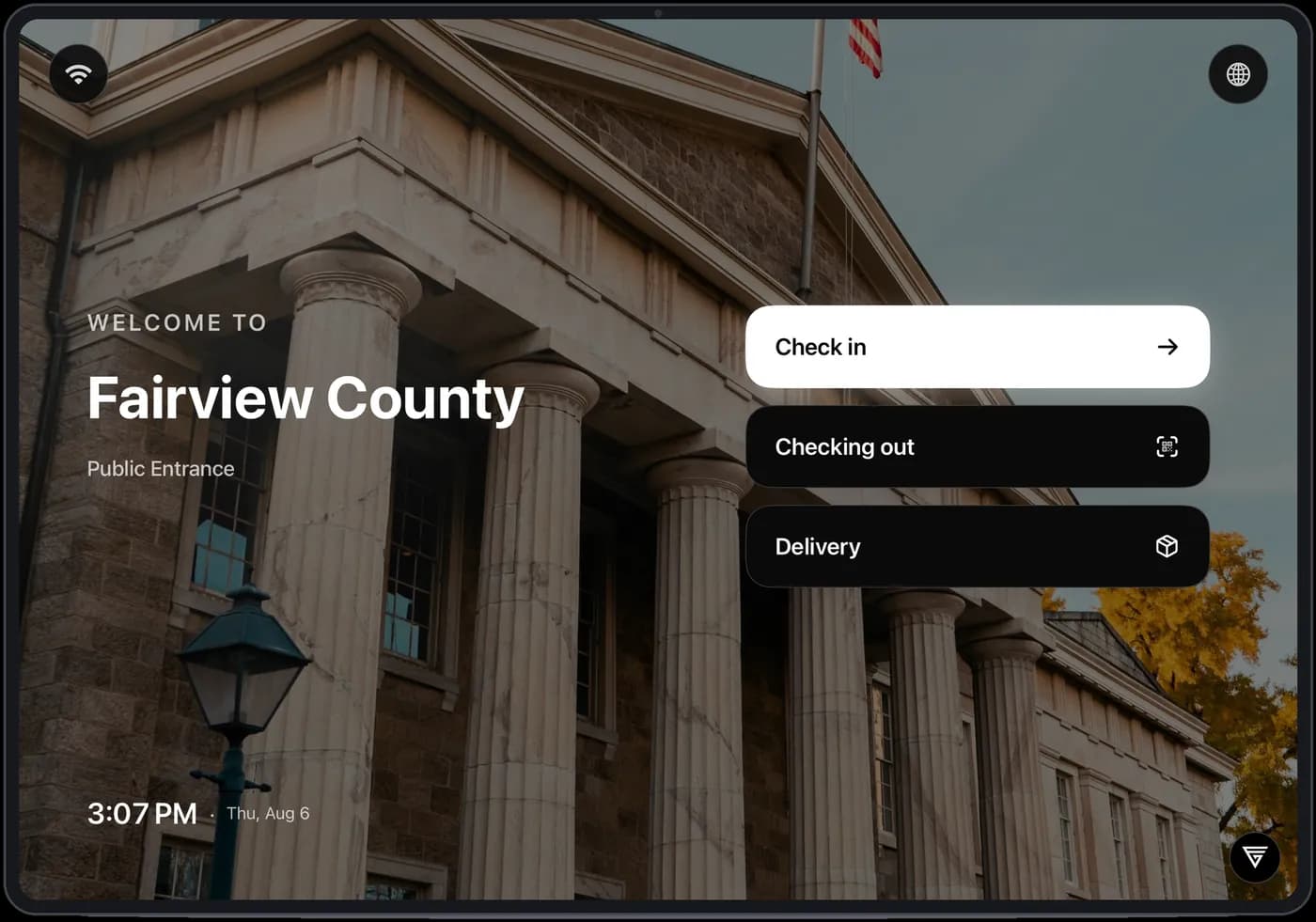
Civic & government
Fairview County · Public Entrance
Deliveries, guest Wi-Fi and printed badges come as standard, on the same public entrance screen.
These are just a few examples — every kiosk is fully configured for your site: your branding, your documents, your languages, your entrances.
What comes with it
Included on every screen.
Safety induction
Upload a video. It plays at the door and check-in can't finish until it does.
Document consent
Any document you upload — waiver, site rules, safeguarding policy, NDA — agreed and stored against the visit.
Wallet passes
Apple Wallet and Google Wallet, with a manual code as fallback.
Delivery mode
Couriers use a separate flow at the same screen. No host meeting needed.
Printed badges
Badge printing at the door, so anyone on the floor is identifiable at a glance.
Guest Wi-Fi
Hand out network access as part of check-in instead of reading it off a sticky note.
Visitor's own language
Visitors switch language on the kiosk before they start.
Live on-site list
Check-out closes the record, so the list of people inside is current — including at 3am.
Pricing
Visitor kiosk pricing: one price, hardware included.
Per company
$150
per month · tablet and badge printer included
- ✓Unlimited visitors, hosts and deliveries
- ✓Induction video and document consent
- ✓Wallet passes, SMS codes, printed badges
- ✓Your branding, your languages
- ✓Hardware ships configured for your site
- ✓Software updates and email support included
No setup fee, no per-visitor charge, no hardware invoice to approve separately.
More gates, more sites
Quoted per deployment
each gate keeps its own record while the visitor log stays central
- ✓Per-gate and per-site configuration
- ✓One visitor record across locations
- ✓Rollout plan per location
Most visitor systems charge more than this for the software on its own.
Visitor kiosk FAQ
What does the GatesFlow Visitor Kiosk cost?
One price per company: $150 per month, with the tablet and badge printer included. Unlimited visitors, hosts and deliveries — no setup fee and no per-visitor charge. Multi-entrance and multi-site deployments are quoted per rollout.
Is the hardware really included?
Yes. The subscription covers the kiosk software, the tablet it runs on and the badge printer at the desk. Hardware ships pre-configured for your site, and software updates are included.
Do visitors need to install an app?
No. Invited visitors get a text with the visit details and a check-in code, plus a QR pass they can add to Apple Wallet or Google Wallet. Walk-ins use the kiosk screen directly — check in, watch the induction, agree to the documents, take a badge.
Can it enforce a safety induction before entry?
Yes. Upload an induction video and it plays at the door — check-in can't complete until the visitor has watched it. Waivers, site rules, safeguarding policies and NDAs are agreed on screen and stored against the visit record.
Does it handle deliveries and contractors?
Couriers get their own flow on the same screen, with no host meeting needed. Contractor gates log every arrival against the entrance they came through, and badge scan-out keeps the live on-site list accurate for musters and audits.
Next step
Send us your logo and one safety document.
We'll configure a kiosk for your entrance and show you the check-in your visitors would actually see — your name, your photo, your document, your languages. Fifteen minutes.