The Best Free Online CAD Viewers in 2026 (And When a Viewer Isn't Enough)
Most people who open a CAD file don't design parts. Buyers check dimensions before quoting. Quality inspectors compare a part to the model. Suppliers review geometry before tooling. Operators glance at an assembly to see where a bracket goes. None of them should need a $5,000–$15,000 CAD seat to do it.
The good news: free CAD viewers are genuinely good now. The catch: "viewing" and "working with CAD as a team" are different problems. Here's how the options break down.
What a free CAD viewer needs to handle
Before comparing tools, the checklist that matters in practice:
- Neutral formats. STEP (.step/.stp) and IGES are how CAD moves between companies. If a viewer only opens its own vendor's format, it doesn't solve the supplier problem.
- Mesh formats too. STL for 3D printing, OBJ and GLB for lightweight review.
- No install required. The person who needs to view a model in a hurry is usually the one who can't install software on their machine — a supplier on a locked-down laptop, a customer's engineer, someone on a tablet on the floor.
- Measurement. "Can I check that bore diameter?" is the single most common question a viewer answers.
- Assembly structure. A flat blob of geometry is far less useful than a browsable component tree with quantities.
The main free options
Desktop viewers. Vendor viewers like eDrawings (SolidWorks) are solid for their own ecosystems, and FreeCAD will open STEP files and is fully free and open source. The trade-offs are the same across all of them: someone has to install software, keep it updated, and you're back to emailing files around to get the model in front of them — with all the version confusion that brings.
Online viewers. Browser-based viewers remove the install problem: upload a file, view it in seconds, on any device. This is the right shape for the supplier/buyer/inspector use case. The differences that matter between them are format coverage (many handle STL but choke on STEP assemblies), file-size limits, and — critically — what happens after viewing.
The GatesFlow CAD viewer is our entry in this category, and it's free: upload STEP, STP, IGES, STL, OBJ, GLB, or GLTF, view and measure in the browser, browse the extracted bill of materials, annotate the model, and share it by link. No install and no CAD license for you or for anyone you share with.
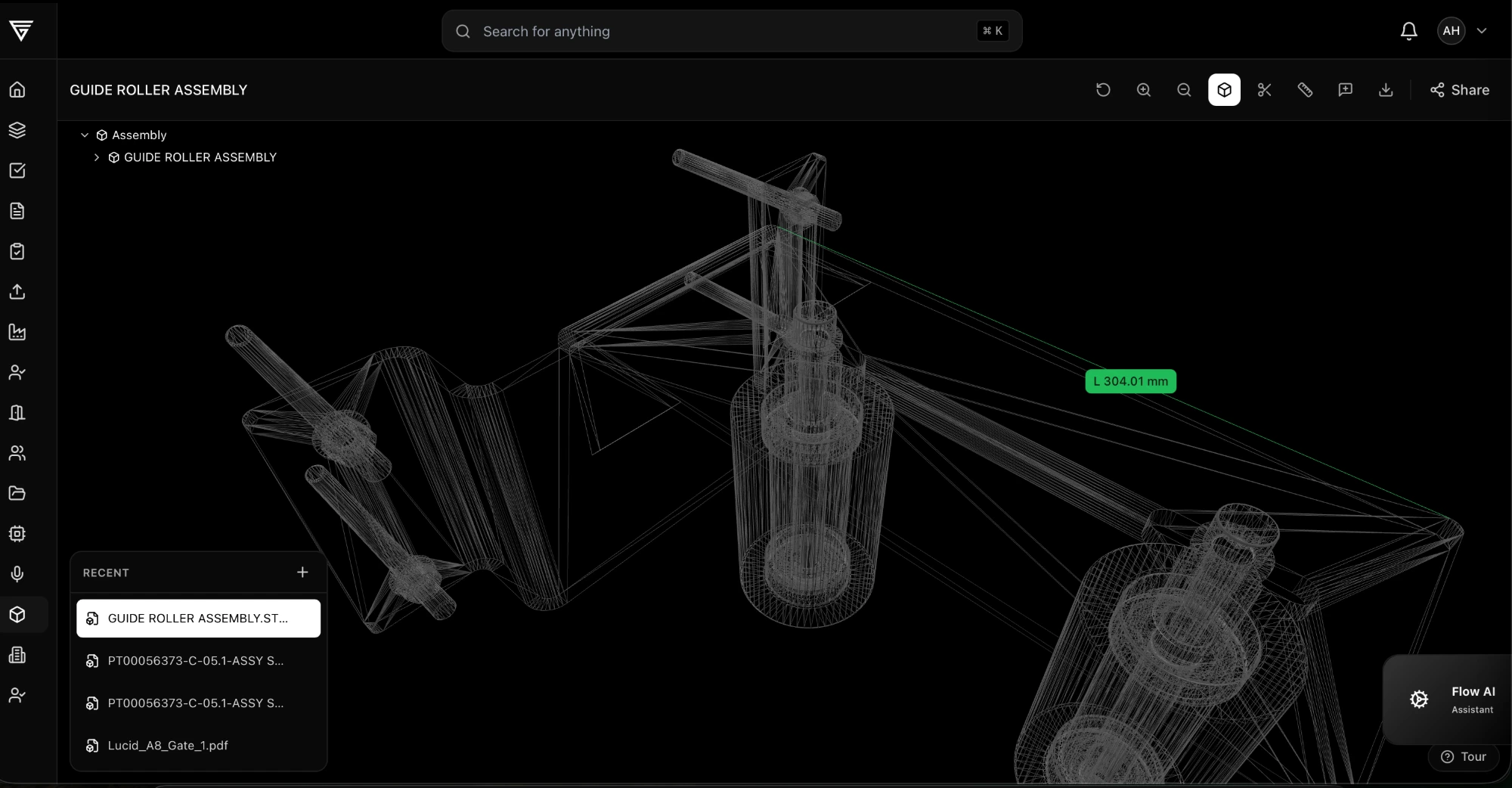 A STEP assembly measured in the free GatesFlow online CAD viewer — the dimension is attached to the model geometry, in the browser.
When a viewer isn't enough
A viewer answers "what does this part look like?" It doesn't answer:
- "Is this the current revision?" A downloaded file is a snapshot. The moment engineering revs the part, every copy floating around in inboxes is silently wrong.
- "What did the supplier say about it?" Feedback in email is disconnected from the geometry it's about.
- "Who has seen this?" For ITAR, customer NDAs, or plain IP protection, you need access control and a record.
That's the line between a CAD viewer and a collaborative CAD platform: sharing by link instead of by file, comments anchored to the model, one current revision, and an audit trail. We've written about that workflow in how to share CAD files securely, and it's what the free GatesFlow account gives you out of the box.
Switching from eDrawings or Autodesk Viewer?
As an eDrawings alternative
If eDrawings' install requirement is the blocker — locked-down machines, suppliers who can't add software, tablets on the floor — a browser-based viewer removes it entirely. GatesFlow's free online CAD viewer handles the same STEP/STL viewing and measurement with nothing to install, and adds link sharing with revision control on top.
As an Autodesk Viewer alternative
Autodesk Viewer's format coverage is hard to beat for one-off file checks. The reason teams move to GatesFlow is what happens after viewing: models live with their revision history, comments stay attached to geometry, and the same part record flows into document control and quality — instead of the review evaporating when the browser tab closes.
Bottom line
- If you just need to peek at an STL once, almost any free viewer will do.
- If STEP assemblies, measurement, and BOM structure matter, use a browser-based viewer that handles neutral formats properly.
- If you're sharing models with suppliers and customers every week, stop emailing files — use a free collaborative platform so there's one current version, with comments and access control attached.
Create a free account and upload a STEP file to the GatesFlow CAD viewer — you'll have it open, measured, and shared by link in a few minutes. No credit card, no license.