What a Free Collaborative CAD Platform Actually Gets You
"CAD collaboration" has historically meant one of two bad options: buy expensive seats for everyone who might ever open a model, or email zip files around and hope everybody's looking at the same revision. A collaborative CAD platform is the third option — and the core of it can now be free.
The difference between a viewer and a platform
A CAD viewer opens a file. A collaborative CAD platform manages the conversation around the file:
- Link-based sharing. You share a link to the model, not the file itself. The link always resolves to the current revision, so nobody quotes from Rev C after engineering moved to Rev D.
- Comments anchored to geometry. "The wall here is too thin" with a marker on the actual wall — instead of "see attached screenshot, third view from left" in an email thread.
- Access control. Your supplier sees their parts, not your whole library. When the job ends, access ends.
- An audit trail. Who viewed what, and when — which matters for ITAR, customer NDAs, and plain IP hygiene.
- Structure, not just shape. The bill of materials extracted from the assembly, so a buyer can count components without asking engineering.
None of that requires anyone to own a CAD license. The designer keeps working in SolidWorks or CATIA or NX; everyone downstream works in the browser.
Who actually uses it (it's mostly not engineers)
The engineers who make CAD are maybe a tenth of the people who need CAD:
- Purchasing checks geometry and BOM counts before sending RFQs.
- Suppliers review models before quoting and flag manufacturability problems while they're still cheap to fix.
- Quality hangs inspection conversations off the model instead of off a stale PDF drawing.
- The shop floor pulls up the assembly to see how it goes together.
- Customers and auditors get scoped, logged, read-only access.
Every one of those people used to be either a $10k seat or an email attachment. On a collaborative platform they're a free browser tab.
Why "free" is realistic now
Serving a 3D model to a browser used to be hard; WebGL and lightweight formats like GLB made it cheap. The expensive part of the CAD world is authoring geometry — viewing, annotating, and sharing it is not, and pricing that way was always more about vendor habit than cost.
That's why we made the GatesFlow CAD viewer free: upload STEP, IGES, STL, OBJ, or GLB files, view and measure in the browser, annotate, browse the BOM, and share by link — on a free account, with no per-viewer charges for the people you share with. If you want the model to live next to its revision history, engineering changes, and quality records, that's where the broader PLM platform picks up.
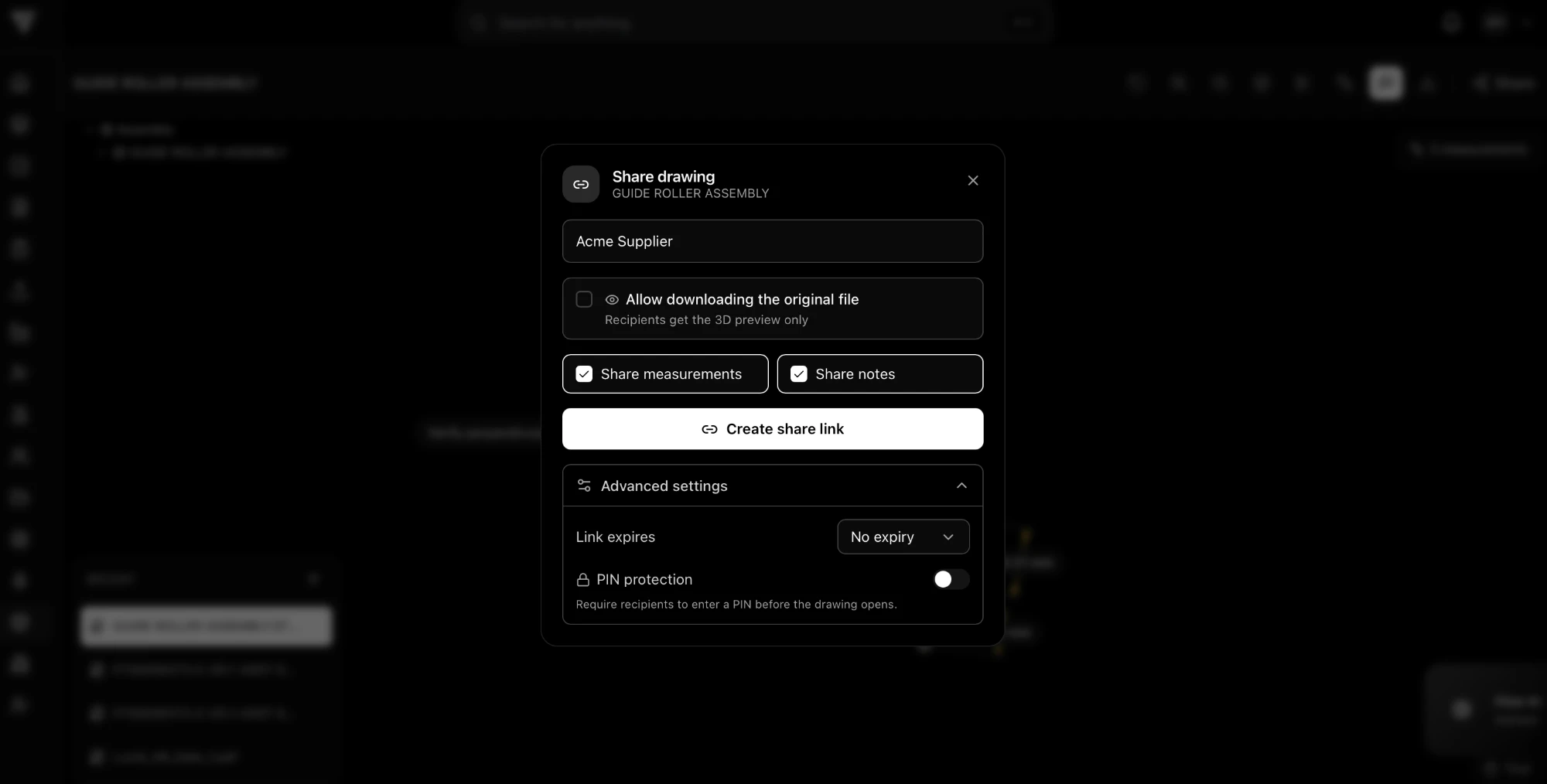 Creating a share link for a CAD drawing: 3D-preview-only by default, with optional download permission, link expiry, and PIN protection.
How to get started in an afternoon
- Pick one live part that's currently being emailed around.
- Upload the STEP file and share the link with whoever has the file in their inbox today.
- Move the open questions on that part into comments on the model.
- Next revision, update the model — and notice you didn't have to re-send anything.
That's the whole adoption curve. For the security side of this workflow — encryption, role-based access, revision control — see our guide on sharing CAD files securely.